


Discover how modern visual design systems—from utility-first engines like Tailwind CSS v4 to distinct design aesthetics like Neobrutalism and Glassmorphism—can be systematically injected into generative AI workflows to create professional, polished user interfaces on the first attempt.
The Aesthetic Problem with Standard AI Code Generation
Generative AI platforms have fundamentally changed how software developers, product managers, and entrepreneurs prototype applications. With high-capacity large language models, you can write basic requirements and receive working frontend code in minutes. Yet, when relying on standard, open-ended chat text prompts, a glaring issue frequently emerges: the resulting user interfaces look strikingly generic, dated, and unpolished.
When an artificial intelligence engine is asked to write application views without highly explicit design boundaries, it falls back on statistical defaults. It typically produces flat, uninspired interfaces utilizing basic browser-default styles or vanilla CSS structures that resemble early-2010s software templates. Buttons lack interactive feedback states, forms lack consistent padding layout rules, and cards look like plain, unstyled borders on a blank page.
To stand out in a crowded market and capture early user adoption, a Minimum Viable Product (MVP) needs to look clean, deliberate, and premium. Elevating an app beyond basic styling requires moving past unstructured prompts. By injecting defined design systems—such as utility-first utility classes or avant-garde aesthetics like Neobrutalism and Glassmorphism—directly into your generative blueprint payload, you can force the AI model to output visually striking web applications from its very first generation cycle.
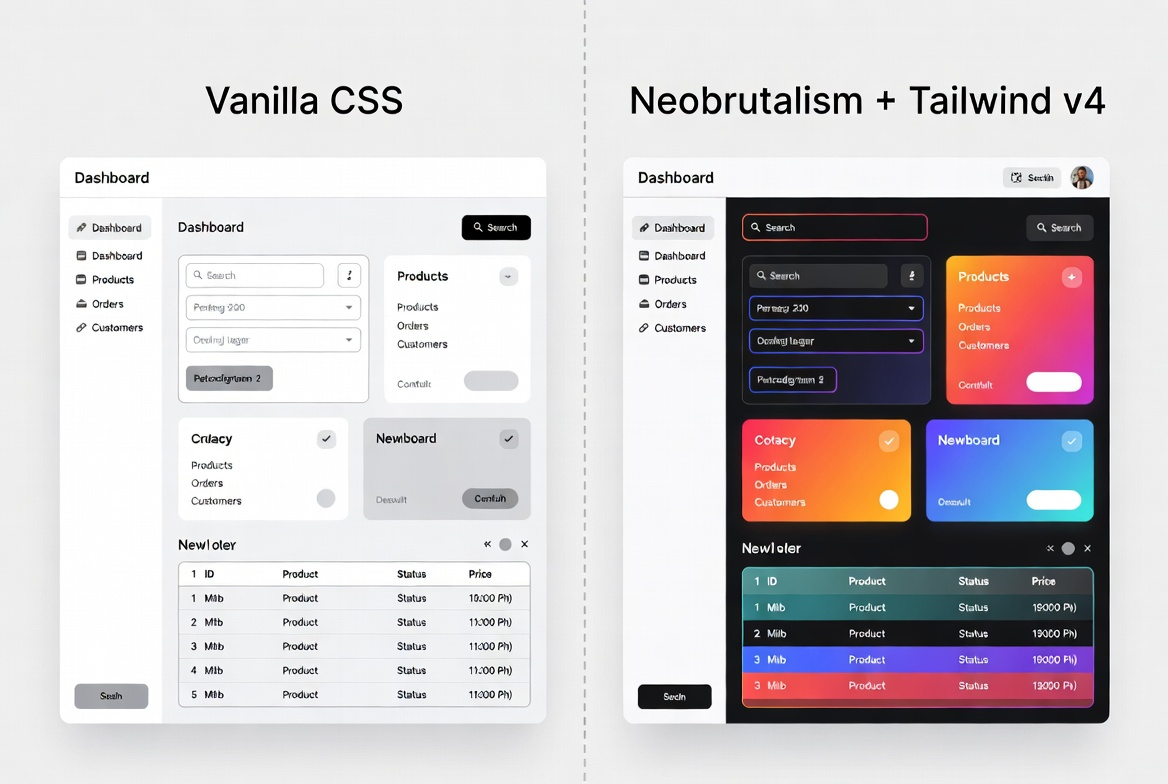
Tailwind CSS v4: The Native Language of AI Interface Design
Before diving into high-concept artistic styles, it is vital to establish a reliable utility engine to handle responsive columns, alignment layout configurations, and component sizing wrappers. In modern web engineering, Tailwind CSS v4 has emerged as an incredibly powerful system for this task.
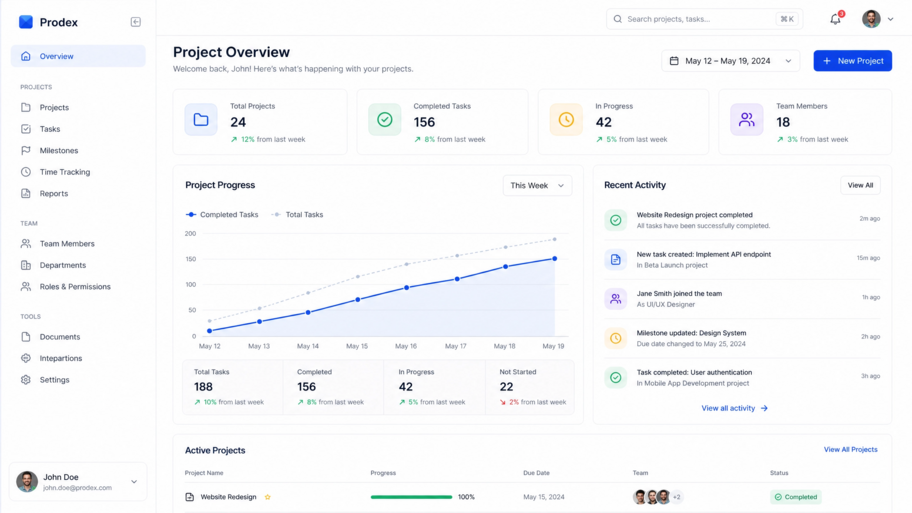
Tailwind’s framework functions as an ideal design engine for generative AI models because it converts dense, sprawling style files into discrete, descriptive inline utility classes directly inside your HTML or React code strings. Large language models have processed millions of web pages constructed with utility class tokens. Consequently, the AI has a highly accurate statistical understanding of how classes interact to dictate padding, flexbox layouts, grid alignments, and responsive view toggles.
When you explicitly inject Tailwind styling rules into your developer prompt instructions, you eliminate the risk of the model creating conflicting separate external stylesheet documents. The AI can focus purely on embedding the utility variables directly into the view layout layer, ensuring your columns snap to mobile sizes correctly and interactive layout wrappers line up precisely without code overlap flaws.
Neobrutalism: Bold Elements and Striking Visual Hierarchies
If you are building an application that needs to project confidence, modernity, and a high-energy creative brand, Neobrutalism is an excellent design trend to leverage. Evolving from the mid-century architectural movement, digital Neobrutalism completely throws away traditional, safe design ideas like smooth gradients, subtle drop shadows, and minimalist pastels.
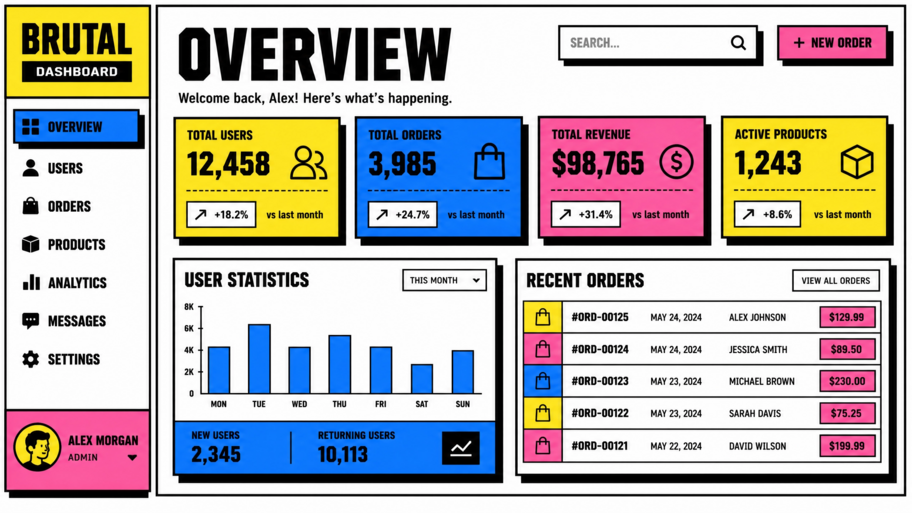
Instead, Neobrutalism relies heavily on high-contrast design choices:
- Raw, Unprocessed Primary Tones: Utilizing pure, vibrant saturation values for accents and background layouts.
- Thick, Heavy Solid Black Borders: Embracing intentional 2px to 4px crisp outlines surrounding every clickable container, card block, and input layout field.
- Hard, Offset Geometric Shadows: Swapping soft ambient blurs for sharp, dark, non-blurred offset rectangular shapes underneath active screen cards.
- Asymmetrical Grids: Using distinct typographic sizes and bold headers that immediately draw a user’s attention to core application data.
When you feed these explicit style variables into your application blueprint prompt payload, an external language model understands exactly how to structure its frontend code. It will render product dashboards, list grids, and workflow navigation cards that look distinct, impactful, and professional, turning a basic content tracker into a compelling visual experience.
Glassmorphism: Sleek Translucency and Premium Modernity
On the opposite end of the aesthetic spectrum sits Glassmorphism. This premium interface style focuses on mimicking physical frosted glass surfaces overlapping colorful, dynamic background spaces. Glassmorphism is ideal for enterprise dashboards, consumer finance trackers, or tech portals that want to convey elegance, depth, and clean sophistication.
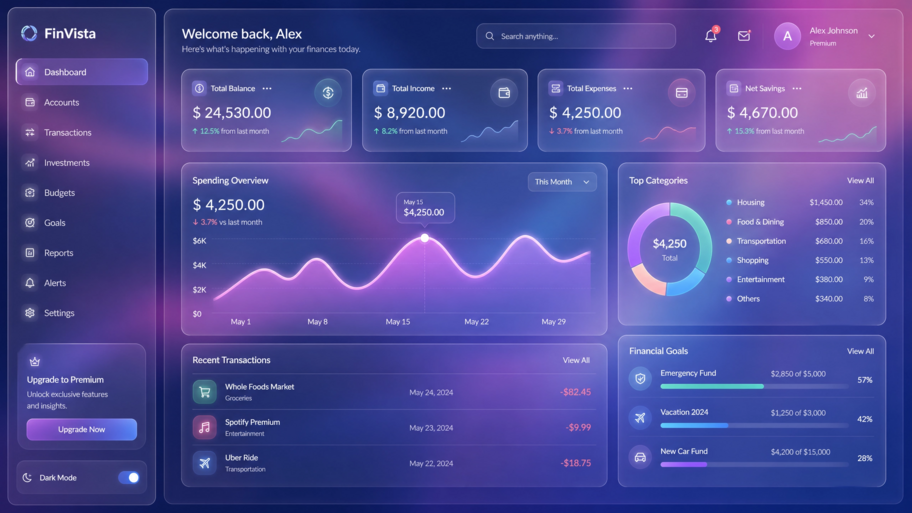
The core structural pillars of Glassmorphism rely on complex styling combinations that standard AI prompts usually forget to include:
- Multi-Layered Translucency: Utilizing semi-transparent background fills, such as high-opacity white colors, to let underlying background shapes subtly bleed through.
- Backdrop Filtering Blurs: Applying advanced CSS parameters like
backdrop-filter: blur(12px)to realistically diffuse elements sitting directly beneath the interface pane. - Crisp Border Refractions: Adding thin, subtle, low-opacity white outlines around cards to simulate the reflective glass edge properties.
- Contextual Depth: Pairing these translucent panels with vibrant, glowing abstract layout blobs placed in the background layer to emphasize the depth of the viewport.
Because the CSS required to render clean backdrop blurs safely across different browsers is highly specific, open-ended AI prompting often results in broken layouts or flat gray boxes. Providing a rigid blueprint payload ensures the AI writes perfect inline syntax, rendering gorgeous glass layers without sacrificing browser compatibility.
Injecting Visual Token Blueprints with Visual Paradigm App Studio
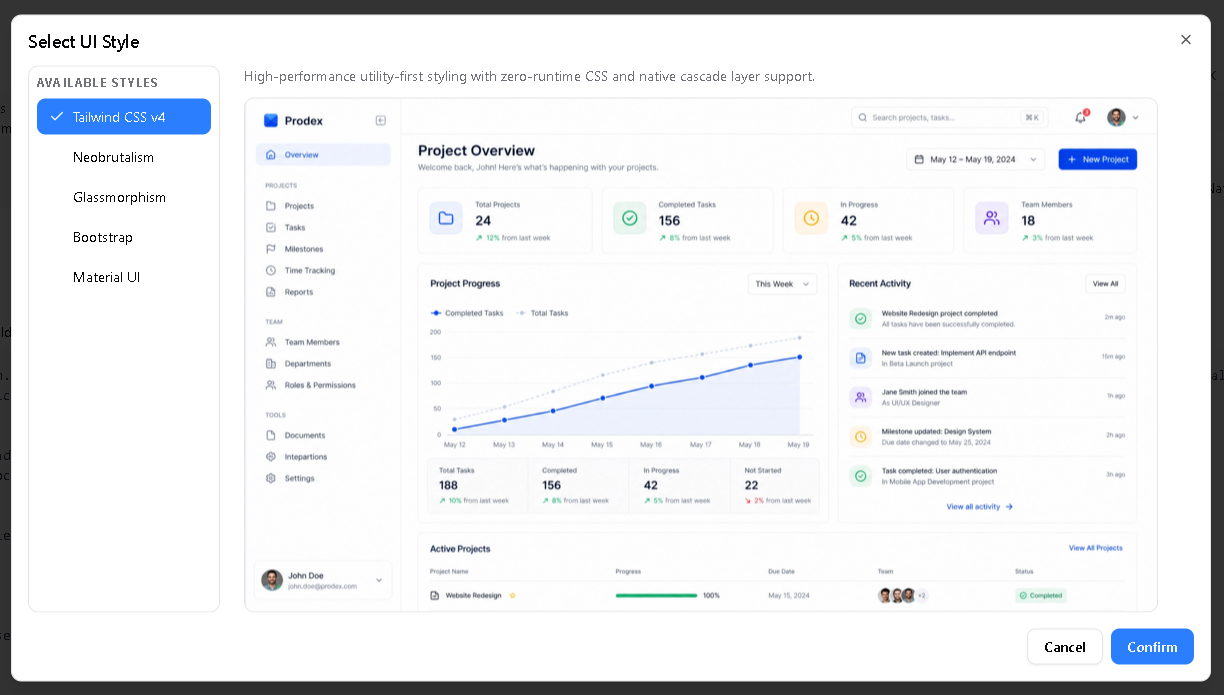
While understanding these design trends allows you to map out elegant concepts, manually compiling the thousands of required CSS strings, layout frameworks, and responsive grid patterns into a prompt payload is an immense engineering chore. Visual Paradigm’s AI-Powered App Studio streamlines this step by turning layout adjustments into simple selections inside a centralized workspace hub.
App Studio connects your overarching visual preferences directly to a persistent, cloud-hosted relational data container in four highly automated phases:
- Schema Declaration: You type your basic app text requirements or drop a raw PlantUML database script straight into the editor. The internal AI analyzer scans the structure and organizes your tables inside an interactive visual Entity-Relationship Diagram (ERD).
- Live Cloud Provisioning: Entering an administrative password string prompts the platform to deploy a managed cloud database and instantly expose zero-configuration REST web APIs to save and retrieve records securely.
- Style Token Configuration: You navigate to the centralized customization control board to select your primary engineering target (such as React, Svelte, Vue, or Angular) and pick your exact UI system preferences from curated dashboard selectors including default Tailwind CSS styles, bold Neobrutalism grids, or elegant Glassmorphic cards.
- Blueprint Prompt Export: The workspace engine wraps your framework choices, hosted server URLs, table schemas, and UI styling tokens into a unified, token-dense master **AI Blueprint Prompt**.
By copying this deterministic blueprint payload directly into advanced generative systems like Google AI Studio, the language model receives an absolute structural map. It bypasses generic default styles entirely and writes fully functional frontend client views that connect directly to your live database out of the box, perfectly styled in Neobrutalism or Glassmorphism from the very first code output line.
Verifying Visual Integrity with Synthetic Data Seeding
A major roadblock when evaluating advanced design systems is validating how an aesthetic behaves under real-world data conditions. A Neobrutalism card or a Glassmorphic side panel might look perfect when blank, but long text fields, overflowing lists, or missing profile names can easily break boundaries and wrap incorrectly.
App Studio resolves this lifecycle challenge with an integrated synthetic data seeding tool. From your management panel, you can run an automated script that instantly populates your live database tables with rich, contextually accurate records. Your dashboard will instantly fill with sample user records, task lanes, and active text entries, allowing you to visually review spacing values, test responsive layout breakpoints, and refine your custom interface states before putting your application live for actual users.
Conclusion: Making Style a Core Software Asset
User interface design is not merely a cosmetic layer; it represents the visual communication channel of your software system. Transitioning away from unstructured text prompts and embracing structured blueprint prompts allows you to break free from generic vanilla layouts and implement polished design aesthetics like Neobrutalism or Glassmorphism with total precision.
By defining your backend data models first and utilizing automated design token compilers, you protect your application from AI style hallucinations, build clean visual hierarchies, and accelerate your time-to-market with a premium MVP experience.
Ready to deploy your next secure cloud database and compile an eye-catching visual prompt blueprint? Start building immediately inside the Visual Paradigm App Studio Workspace. Complete workspace feature access is bundled for all users holding active subscriptions to the Visual Paradigm Online Combo Edition or Desktop Professional Edition license packages.
Related posts:
 React vs. Svelte vs. Vue: Choosing the Right Frontend for Your AI-Generated App
 Dashboard Layouts Demystified: When to Use Kanban, Tabs, or List-with-Details
 The Token Limit Crisis: How to Feed Complex App Requirements to LLMs Without Running Out of Memory
 Stop Writing AI Prompts from Scratch: The Case for Deterministic Prompt Builders