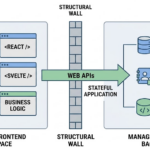
Executive Summary: Most software applications built using AI code generators break because Large Language Models (LLMs) design user interfaces without establishing a stable backend data framework. To prevent application state collapse and code hallucinations, developers must adopt a data-first approach to AI development by securing a structured database schema and managed backend API before prompting for frontend code.
The AI App Builder Trap: Why AI Code Collapses
Imagine prompting an AI tool to build a custom application. You type your requirements: “Build a blog system with user authentication, posts, comments, and tagging functionality.” The Large Language Model responds instantly, serving up clean, beautiful React components or responsive HTML pages. The prototype looks phenomenal in your web browser.
Then, you hit refresh. The mock data vanishes. Next, you ask the AI assistant to add a seemingly simple feature, like a user profile page. Suddenly, the entire codebase breaks. The application encounters runtime exceptions, data relation mismatches, and structural errors.
Why do AI-generated applications break so consistently? The problem is not the quality of the LLM code itself. The root issue is an unanchored software architecture. Traditional AI development relies on a frontend-first workflow, forcing the artificial intelligence to hallucinate business logic and state persistence fields over volatile browser variables.

The Anatomy of an AI Hallucination: Lack of Database Truth
When you ask an AI model to write software code, it operates inside a statistical context window. Without an absolute source of truth to anchor its assumptions, the AI model falls victim to three systemic architectural failures:
- Ephemeral State Realization: The AI tool writes code that saves user data directly to internal UI component states. Without true database integration, your live operational records drop to zero the second a session terminates.
- Relational Context Drifting: In prompt one, the AI names a foreign key column
user_id. By prompt five, the context window shifts, and the AI starts looking forauthor_id. This structural drift breaks relational database linkages. - Token-Limit Degradation: As you feed more user instructions into your workspace to patch bugs, you consume valuable model token space. The LLM forgets your original data structures, causing new feature code to conflict with old endpoints.
Key Target Takeaway: To eliminate code errors, an AI software agent requires a deterministic source of truth. If you lock down the database schema and backend cloud architecture prior to generating code, the AI can cross-reference an unchanging structural map, neutralizing code drift completely.
The Solution: What is a Data-First Approach to AI Development?
A data-first approach to AI development reverses the engineering process. Instead of prompting for layout structures, navigation flows, and buttons, you establish the underlying relational data design first.
By defining your Entity-Relationship Diagram (ERD), table structures, system constraints, and access APIs before writing user interfaces, you provide the AI code generator with a rigid framework. The generative engine no longer needs to make wild assumptions about how your database passes properties; it merely builds frontends that interact with explicit, pre-existing database tables and system endpoints.
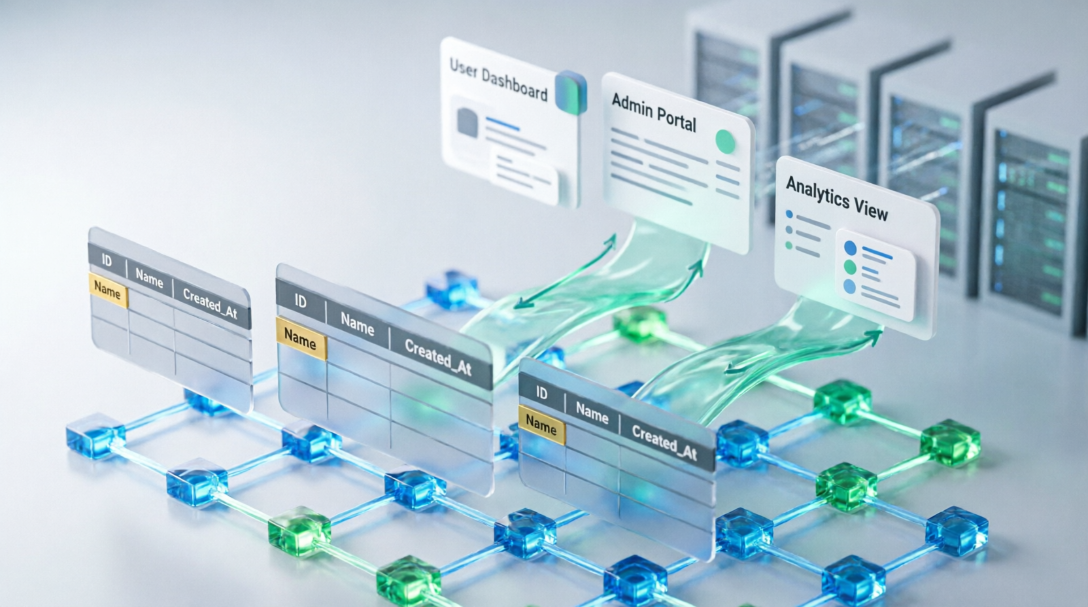
Enter Visual Paradigm App Studio: Turning Data Models into Production Blueprints
Visual Paradigm’s AI-Powered App Studio was developed specifically to solve the AI code breaking crisis. It transitions developers from fragile, chat-based prompt engineering into reliable, data-driven **Blueprint Engineering** across four straightforward steps:
- Flexible Schema Input: Users begin on the index dashboard by either describing their data requirements in simple human language (leveraging an integrated AI prompt enhancer) or instantly importing their existing database design via PlantUML ERD markup.
- Production-Grade ERD Generation: App Studio’s internal AI analyzes the business constraints, checks for data modeling anomalies, and creates a visual entity-relationship structure complete with relational foreign links, explicit column data types, and primary fields.
- Instant Cloud Backend Provisioning: Once you review the database layout, you define a secure superuser account credential. App Studio immediately provisions a fully hosted live cloud database alongside operational, ready-to-use backend APIs.
- Advanced Prompt Engine Handoff: Users select their preferred frontend technology stack—including frameworks (such as React, Svelte, Vue, or Angular) and design style themes (like Tailwind CSS v4, Bootstrap, or Material UI). App Studio then compiles these design choices, layout parameters, and your active cloud database credentials into a comprehensive **AI Blueprint Prompt**.
When you copy this deterministic blueprint prompt into an LLM workspace (like Google AI Studio), the generator receives a bulletproof master layout instruction set. Because the cloud database connections and schema attributes are hardcoded into the data payload, the external AI writes stable, production-ready applications on the first attempt.
Eliminate Prototype Code Drift Permanently
Building custom web software using AI does not require you to deal with broken dependencies and cyclical coding errors. By focusing your development sequence around an organized database lifecycle, you maximize software scalability and secure predictable AI generation outputs.
Furthermore, App Studio hosts and manages your running data framework natively, meaning you can programmatically generate synthetic seed mock data to stress-test layout states, or return to modify schema relations later without breaking your deployed client screens.
Ready to build production-ready applications with zero database connection configuration hassles? Launch the workspace tool directly inside the Visual Paradigm App Studio Editor today. Full application building access is instantly available for active subscribers of the Visual Paradigm Online Combo Edition and Desktop Professional Edition tiers.